

Symelo Image Optimizations
- Версия 1.0.0
- WordPress 6.4+
- PHP 7.4+
- Тествана до 7.1
Описание
Symelo Image Optimizations ProБезплатна добавка
Безплатна добавка. Добавя допълнителни възможности като cwebp, avifenc, jpegoptim, oxipng и други енкодери.
Symelo Image Optimizations makes images smaller without changing how your site looks. Everything happens on your own server: images are never uploaded to an outside service.
- Automatic compression on upload, in the background, and bulk optimization of the existing media library that keeps running after you close the tab.
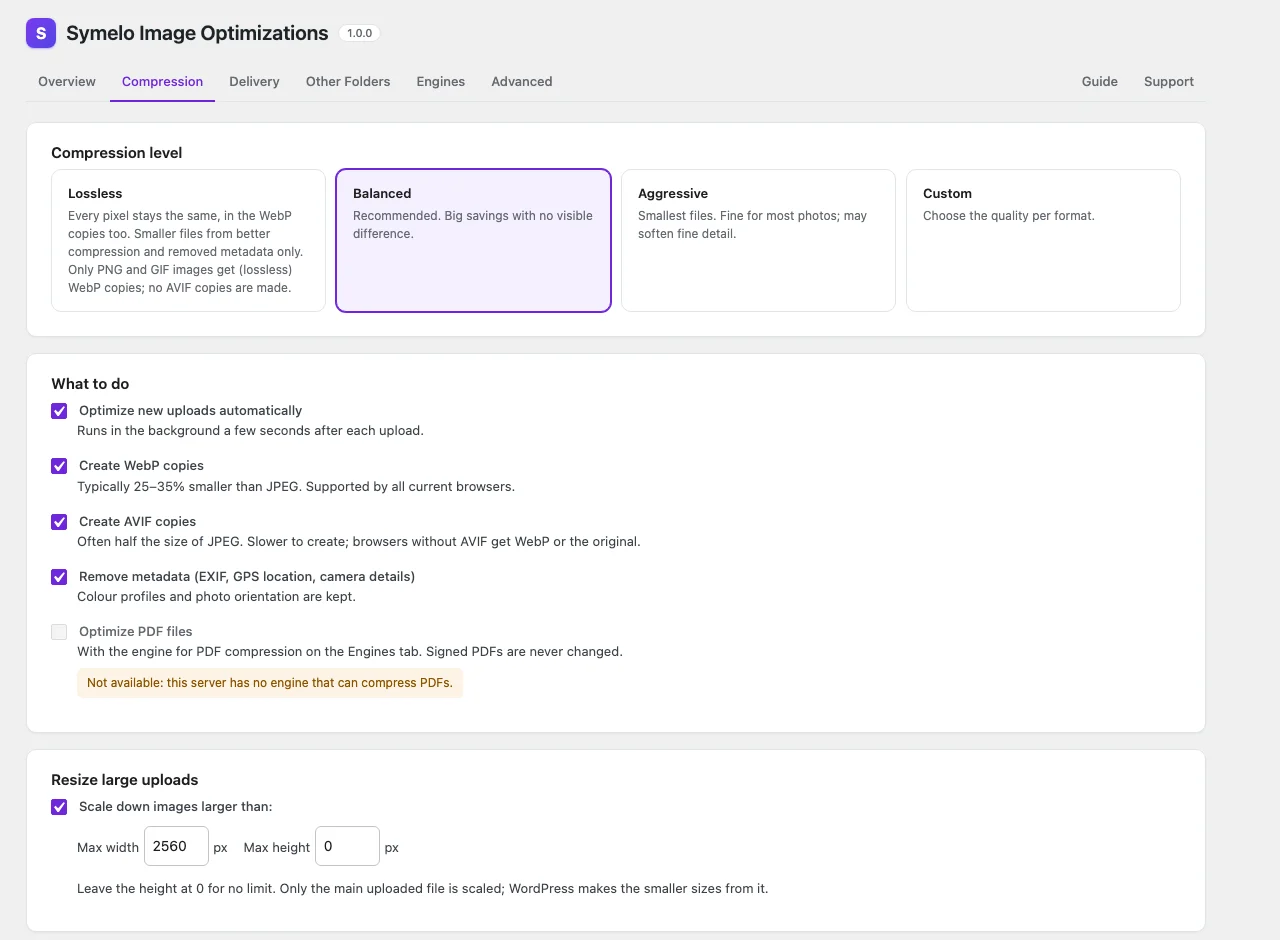
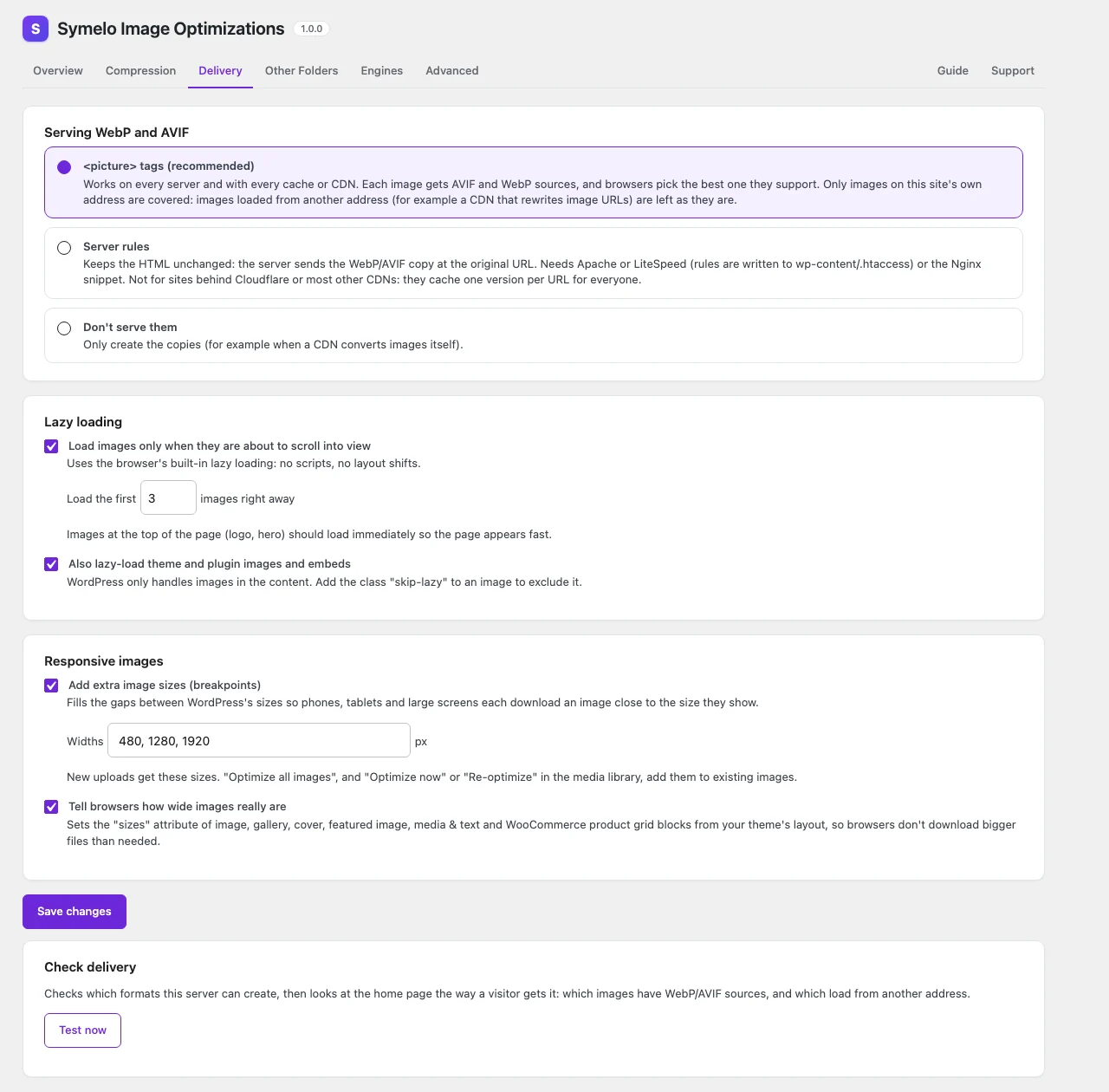
- WebP and AVIF copies next to each image, served with
<picture>tags (works with every cache and CDN) or with server rules. - Compression levels: Lossless (every pixel stays the same, in the WebP copies too), Balanced, Aggressive or Custom quality per format. Files that are already well compressed are never compressed again.
- Resizes oversized uploads to a maximum width and height.
- Removes metadata (EXIF, GPS location, camera details) while keeping colour profiles and orientation.
- Keeps the originals, so any image or the whole library can be restored.
- Lazy loading with the browser's built-in support, extended to theme and plugin images and embeds.
- Responsive images: extra breakpoint sizes and accurate
sizesattributes from your theme's layout. - Images outside the media library: theme and plugin folders.
- Background speed: Fast, Normal or Gentle. Gentle suits small servers: short bursts with pauses, and bulk work waits while the server is busy, so visitors don't notice.
- Works with the image libraries your server's PHP has (Imagick and GD, which WordPress uses too) and shows exactly what is supported; you choose the engine for each job.
Symelo Image Optimizations is made by Symelo LTD.
Server requirements
- PHP 7.4 or newer with the Imagick or GD extension (WordPress uses them too). They do all the work; the plugin doesn't run or download programs.
- WebP and AVIF depend on how those libraries were built: AVIF in GD needs PHP 8.1 or newer. The Engines tab shows what your server supports.
- PDF compression isn't available in this plugin: Imagick and GD can't compress PDFs, so the option is shown as unavailable.
Engines
The plugin detects what the server's PHP offers and picks the best option per job: Imagick first (it keeps colour profiles and handles CMYK and 16-bit images), then GD. For JPEG, PNG, WebP, AVIF and resizing you can choose the engine yourself on the Engines tab.
Anything the server can't do is shown as unavailable, with the reason. Library versions with known security problems are reported on the Overview tab and in Site Health.
Security
- Files are only changed inside uploads, wp-content and the folders you select; symlinks can't lead outside them. Formats are detected from file contents, never from names. ImageMagick always gets an explicit decoder and resource limits.
- Kept originals are protected with .htaccess files. On Nginx the Delivery tab shows the rules to add, and Site Health warns when kept originals can be downloaded.
- Every admin action checks capabilities and nonces; the background worker accepts nothing but a per-site secret.
External services
This plugin doesn't send data to any external service. Images are optimized on your own server.
It only sends HTTP requests to your own site:
- Background processing: a short request to your site's
wp-admin/admin-ajax.php, carrying a per-site secret, starts each background run (with WP-Cron as a fallback). - Delivery test (when you click "Test now", or choose Server rules): it requests a small test image from
uploads/symelo-images/public/and, with<picture>delivery, your home page. - Site Health privacy check: it requests a small test file from
uploads/symelo-images/backups/to check that kept originals can't be downloaded.
The Support tab links to symelo.com and offers an email link; nothing is sent unless you click them.
For developers
Filters: symelo_images_capability (the settings screen, bulk optimization and the REST API; optimizing and restoring single images in the media library only needs the right to edit that image, so authors can optimize their own uploads), symelo_images_engine_order, symelo_images_max_pixels, symelo_images_max_bytes, symelo_images_imagick_limits, symelo_images_pace, symelo_images_worker_budget, symelo_images_dispatch_args, symelo_images_skip_page, symelo_images_more_from_symelo, symelo_images_tabs, symelo_images_warnings, symelo_images_notes, symelo_images_system_info, symelo_images_rest_status.
Actions: symelo_images_loaded, symelo_images_register_engines (add engines with $engines->add()), symelo_images_file_optimized, symelo_images_engines_tab, symelo_images_tab_{$slug}.
Extending the plugin: engines implement Symelo\Images\Engines\EngineInterface (extend AbstractEngine) and are registered on symelo_images_register_engines; each says which tasks it can do on this server and gives a rank per task for the automatic order. Add-ons check SYMELO_IMAGES_API_VERSION (1.0). The plugin's docs/extending.md documents every hook, the engine contract and the versioning rules.
Constants: SYMELO_IMAGES_DELIVERY (picture, rewrite, none), SYMELO_IMAGES_WORKER_SPEED (fast, normal, gentle).
REST API (administrators): /wp-json/symelo-images/v1/ status, settings, optimize, restore, attachments/{id}, bulk, worker, delivery/test, folders, maintenance.
WP-CLI: wp symelo-images status|optimize|restore|run|folders. wp symelo-images run --paced follows the Background speed setting (pauses and load checks), for system cron jobs on small servers.
Add the class skip-lazy to an image to keep it from lazy loading, and no-picture to keep it out of <picture> delivery.
Екранни снимки
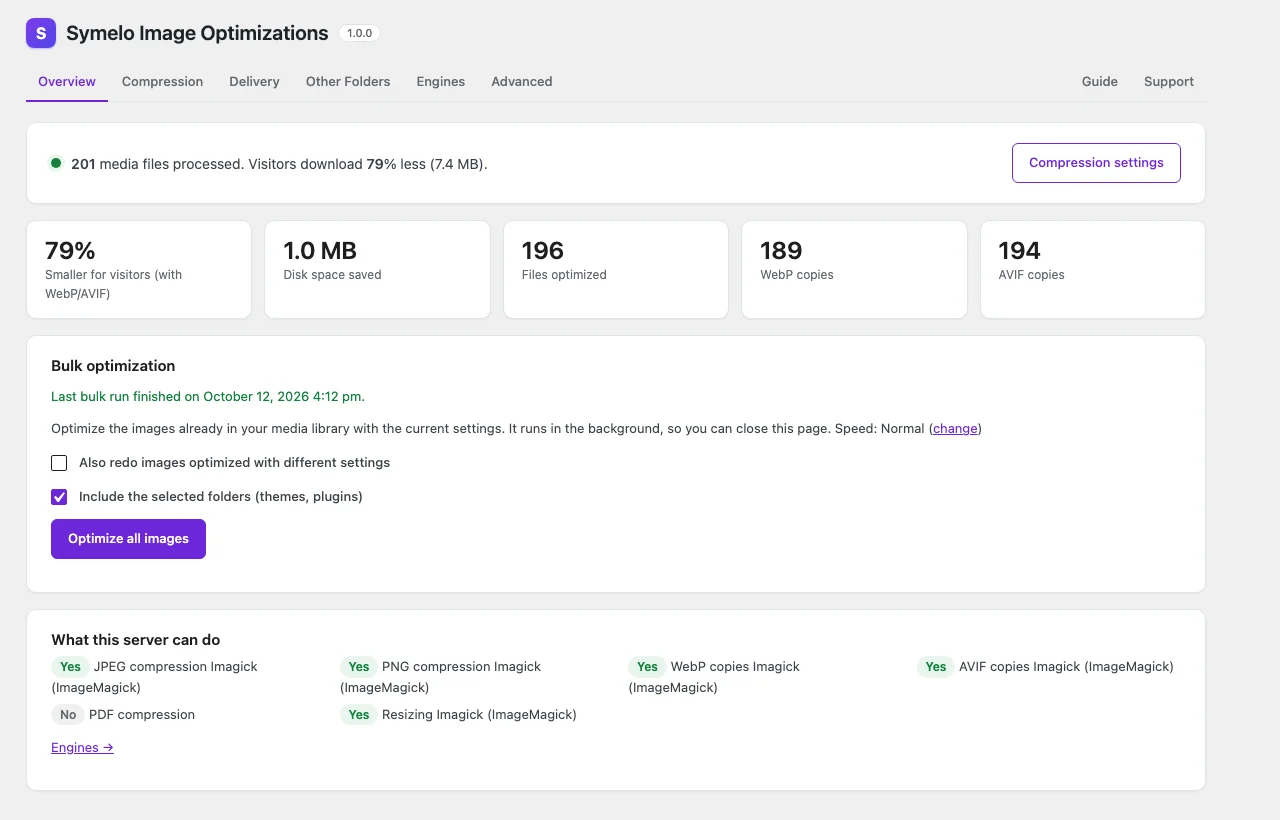
Overview: savings, the media library at a glance and bulk optimization.
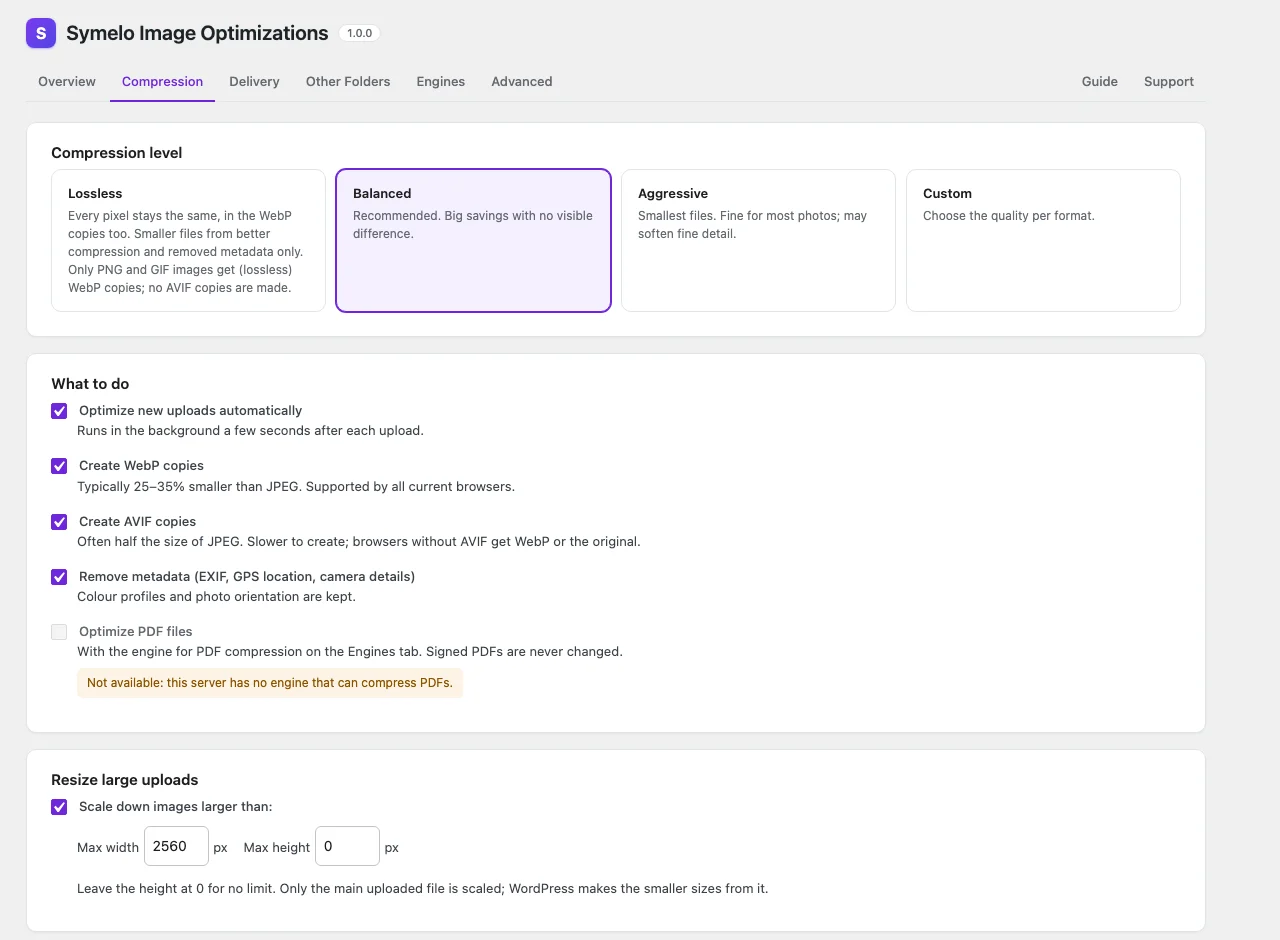
Compression: level, formats, resizing and metadata.
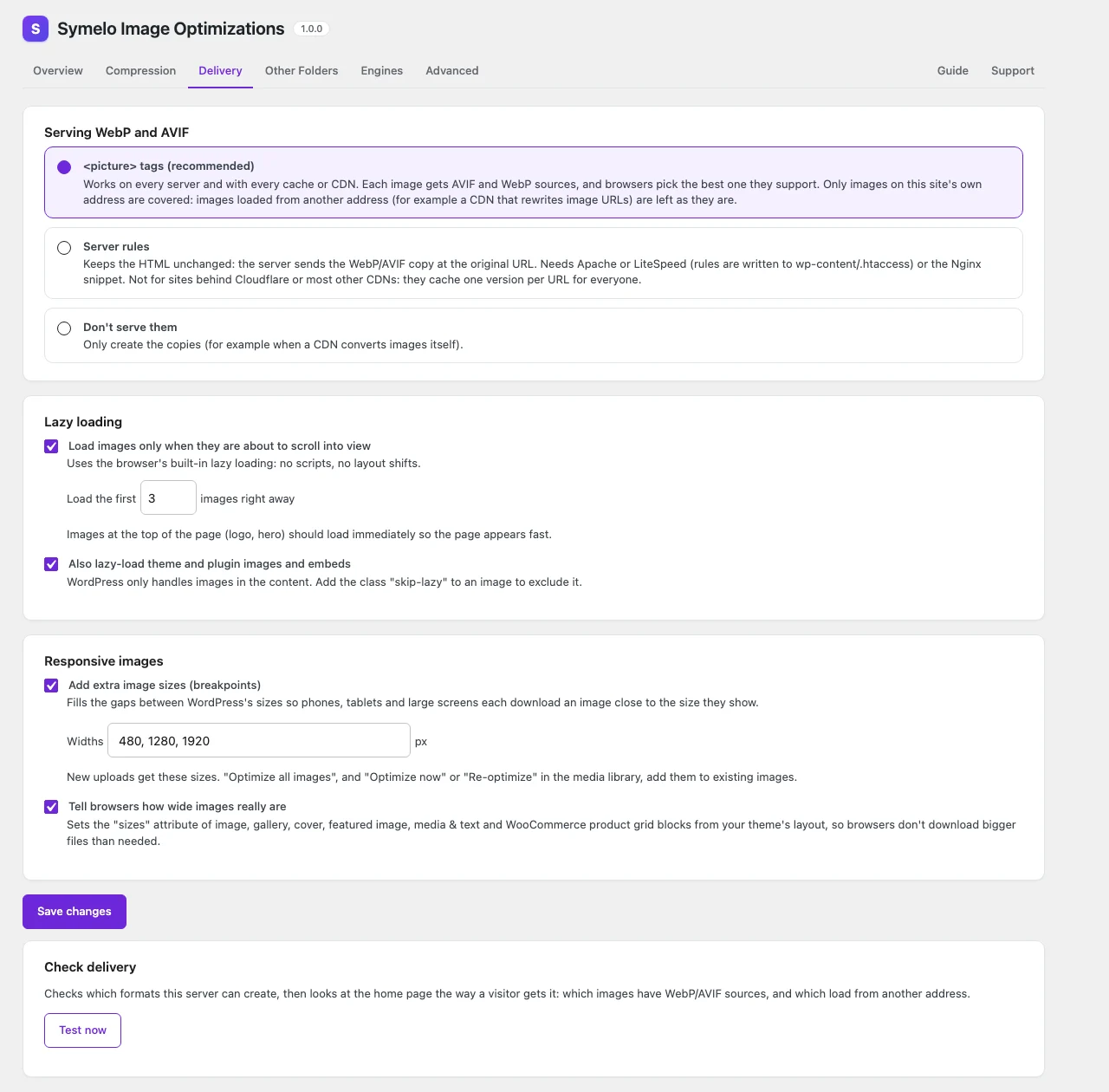
Delivery: WebP/AVIF delivery, lazy loading and responsive images.
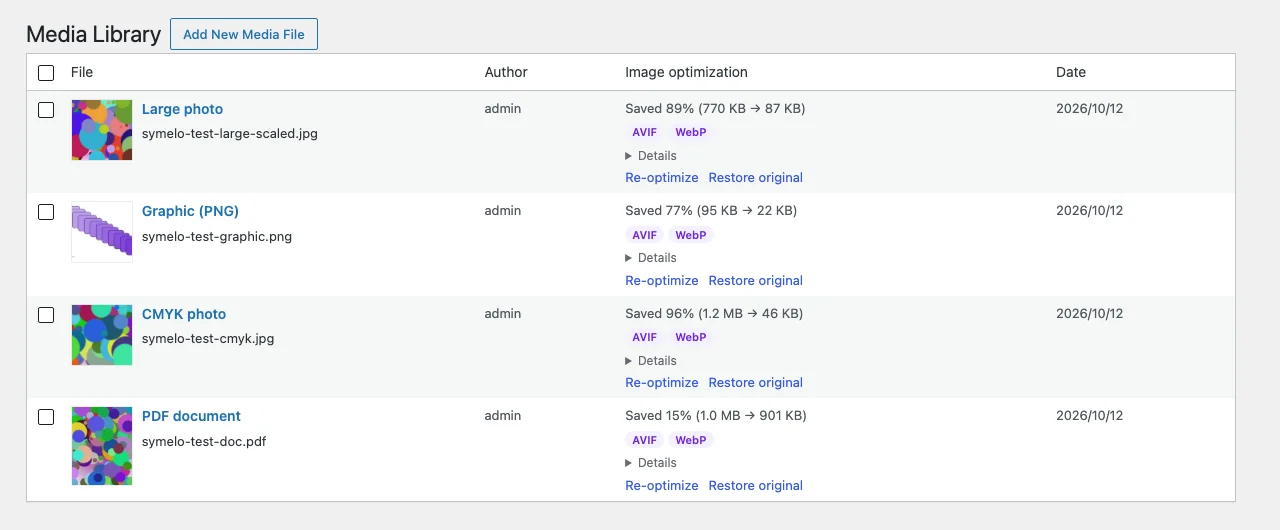
The media library shows what was saved for each image.
Документация
Инсталиране
- In wp-admin, go to Plugins → Add New Plugin, search for "Symelo Image Optimizations", then click Install Now and Activate. (Or upload the plugin's .zip file under Plugins → Add New Plugin → Upload Plugin.)
- Go to Media → Image Optimizations. The Overview tab shows what your server can do for each job (JPEG, PNG, WebP, AVIF, resizing).
- New uploads are optimized automatically from now on. To optimize the images you already have, click "Optimize all images" on the Overview tab. You can close the page; the work continues in the background.
- Optional: review the Compression tab (Balanced is recommended), and use "Test now" on the Delivery tab to check that WebP and AVIF are served.
If WebP or AVIF shows as unavailable, ask your host to enable it in Imagick or GD (AVIF in GD needs PHP 8.1 or newer). The Engines tab shows what each library can do.
Въпроси
My server is small. Will bulk optimization slow the site down?
Choose Media → Image Optimizations → Advanced → Background speed → Gentle. Bulk work then runs in short bursts with pauses, at the lowest priority, and waits while the server is busy. New uploads are still optimized right away. If you run the queue from a system cron job, use wp symelo-images run --paced --max-seconds=240, so it keeps those pauses too.
Do I need to keep the page open during bulk optimization?
No. The work runs in the background in short steps. If your server blocks requests to itself and WP-Cron is off, run wp symelo-images run --paced from a system cron job.
Can I undo everything?
Yes, as long as "Keep the originals" is on: restore single images in the media library, or everything under Advanced.
Why is AVIF unavailable?
Your server's Imagick and GD can't write AVIF. Ask your host for PHP 8.1 or newer with AVIF support in GD, or Imagick built with AVIF support. The Engines tab shows what each library can do.
Can it compress PDFs?
No. Imagick and GD can't compress PDF files, so PDF compression is shown as unavailable and PDFs are left as they are.
Does the plugin run or download programs?
No. It only uses PHP's image libraries (Imagick and GD), which WordPress uses too.
Does the plugin send my images or data anywhere?
No. All compression and conversion happens on your server, and the plugin only sends requests to your own site (see "External services" above).
Всички версии
- Initial release.
SHA-256
108c05e0846ecaa3fb92256fc040d5e02473f07bf390a1e00afa3ecec0211584