

Symelo Backups and Migration
- Version 1.0.0
- WordPress 6.4+
- PHP 7.4+
- Tested up to 7.1
Overview
Symelo Backups and Migration keeps copies of your whole site somewhere safe and brings them back when you need them.
- Manual and scheduled backups of the database, plugins, themes, uploads, other wp-content folders and WordPress itself. Hourly to monthly schedules, each with its own destinations and retention.
- Incremental backups: after a full backup, later backups only store files that changed. A new full backup starts automatically every few days.
- Destinations: Google Drive, Dropbox, OneDrive / Microsoft 365, Amazon S3 and S3-compatible storage (Wasabi, DigitalOcean Spaces, Scaleway, MinIO), Cloudflare R2, Backblaze B2, Azure Blob Storage, SFTP, FTP/FTPS and email. Send each backup to several at once. The destination picker shows each provider's free storage (for example 10 GB free every month on Cloudflare R2 and Backblaze B2, 15 GB on Google Drive).
- One-click restore from the dashboard, of the whole site or only some parts.
- Restore even when the site is broken: a private recovery link restores a backup stored on this server without WordPress, and the standalone installer sets up a migration package on an empty server.
- Before updates: an automatic backup of the database and the plugin or theme being updated, before every plugin, theme and core update (also automatic updates).
- Migration and cloning: export a package, then install it on a new server with the standalone installer, import it on another site, or pull it with a migration link. URLs and paths are replaced automatically, including inside serialized data.
- No size limits: big packages are uploaded in small chunks, or copied to the import folder by FTP.
- Encryption of the database or of the whole backup with your password (XChaCha20-Poly1305, Argon2id).
- Choose what to back up: components, tables, excluded folders and file types, a maximum file size.
- Retention rules: keep a number of backups or a number of days, per schedule and on this server. Incremental chains are always kept complete.
- Gentle on small servers: all work runs in short steps in the background (no open browser tab needed), with a Gentle speed that pauses between steps.
- Email notifications when a backup fails, Site Health checks, WP-CLI commands and a REST API.
Standard formats
Backups are ordinary .tar.gz archives and a gzipped SQL file. An unencrypted backup can be opened with standard tools, without the plugin.
Security
- Backups are stored in a private folder with a random name, protected for Apache, LiteSpeed and IIS. Downloads go through WordPress after a permission check; the folder is never linked.
- Every backup has a manifest with SHA-256 checksums, signed with a key only this site knows. Restoring a backup from another site needs an explicit confirmation.
- Archives are extracted only inside the WordPress folder: absolute paths,
..and symlinks are refused. - Passwords, keys and tokens for destinations are stored encrypted and never shown again. SFTP servers are pinned by their host key fingerprint.
- The restorer, recovery link and installer use long random keys checked in constant time, and lock out repeated wrong keys. The restorer and the installer delete themselves when they're done.
For developers
Filters: symelo_backups_capability, symelo_backups_free_tiers, symelo_backups_pace, symelo_backups_dispatch_args, symelo_backups_notification, symelo_backups_http_timeout, symelo_backups_ftp_timeout, symelo_backups_sftp_timeout, symelo_backups_azure_version, symelo_backups_pull_request_args, symelo_backups_pull_allow_private_urls, symelo_backups_more_from_symelo.
Actions: symelo_backups_loaded, symelo_backups_register_destinations, symelo_backups_job_finished, symelo_backups_destination_saved, symelo_backups_destination_deleted, symelo_backups_destination_tested, symelo_backups_cleanup.
Constants: SYMELO_BACKUPS_KEY (encryption key for stored secrets, at least 32 characters), SYMELO_BACKUPS_SPEED (fast, normal, gentle).
REST API (administrators): /wp-json/symelo-backups/v1/ status, backups, backups/{id}, backups/{id}/files/{file} (download), jobs/current, jobs/{id}, jobs/{id}/cancel, run (starts due schedules, then one slice of work), restore, settings, destinations, destinations/{id} (DELETE), destinations/{id}/test, schedules, schedules/{id}, recovery, migration/export, migration/{id}/link, migration/{id}/installer, migration/imports, DELETE migration/imports/{id}, migration/pull, migration/import, self-test. The oauth route in the same namespace is the sign-in callback for Google Drive, Dropbox and OneDrive: it is public because the provider redirects there, and only forwards to wp-admin, where the logged-in administrator and the single-use sign-in state are checked.
WP-CLI: wp symelo-backups backup|list|restore|run|schedules|destinations|self-test. wp symelo-backups run starts the scheduled backups that are due and then works on queued jobs, so a system cron job running it every five minutes can replace WP-Cron.
Screenshots
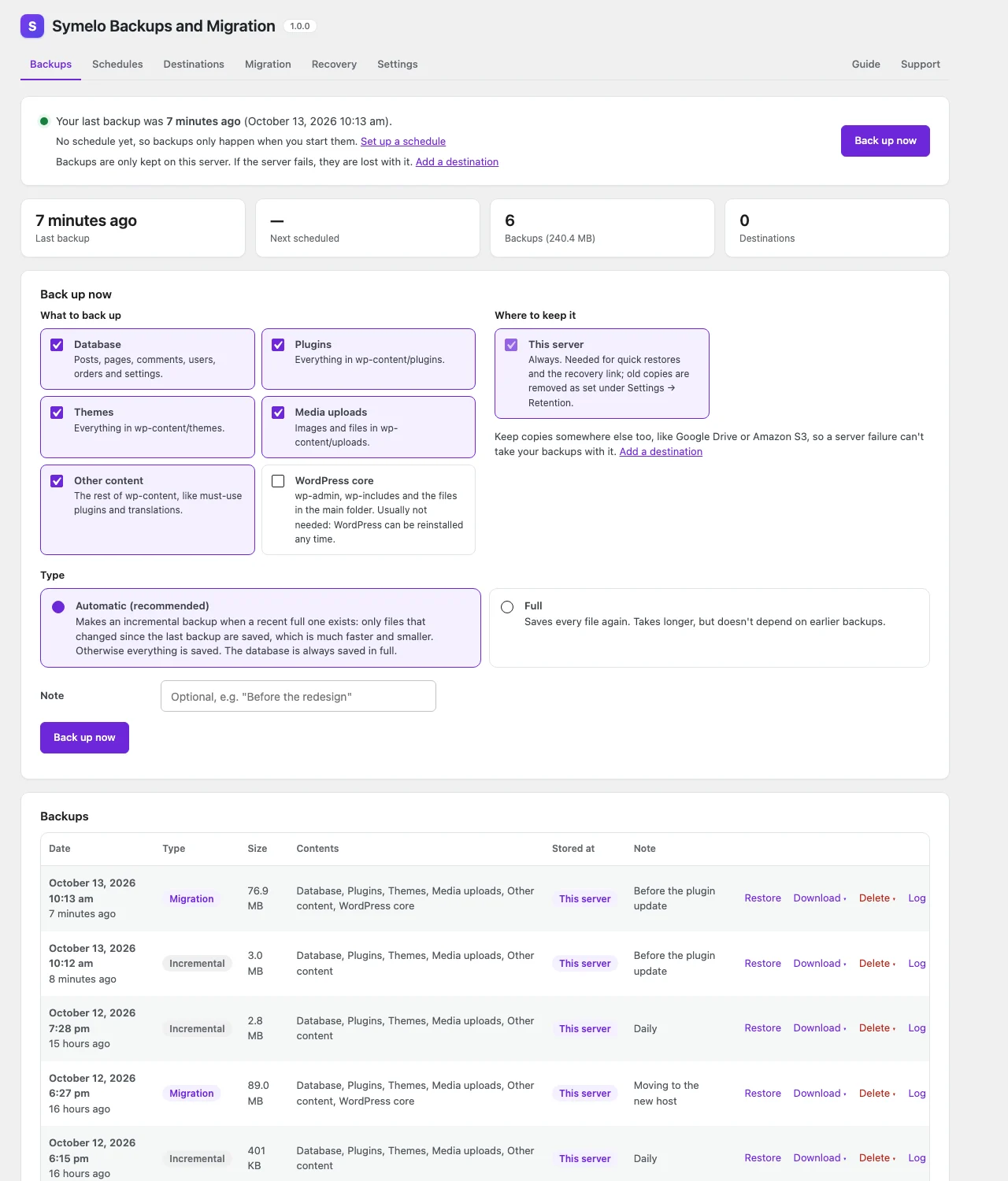
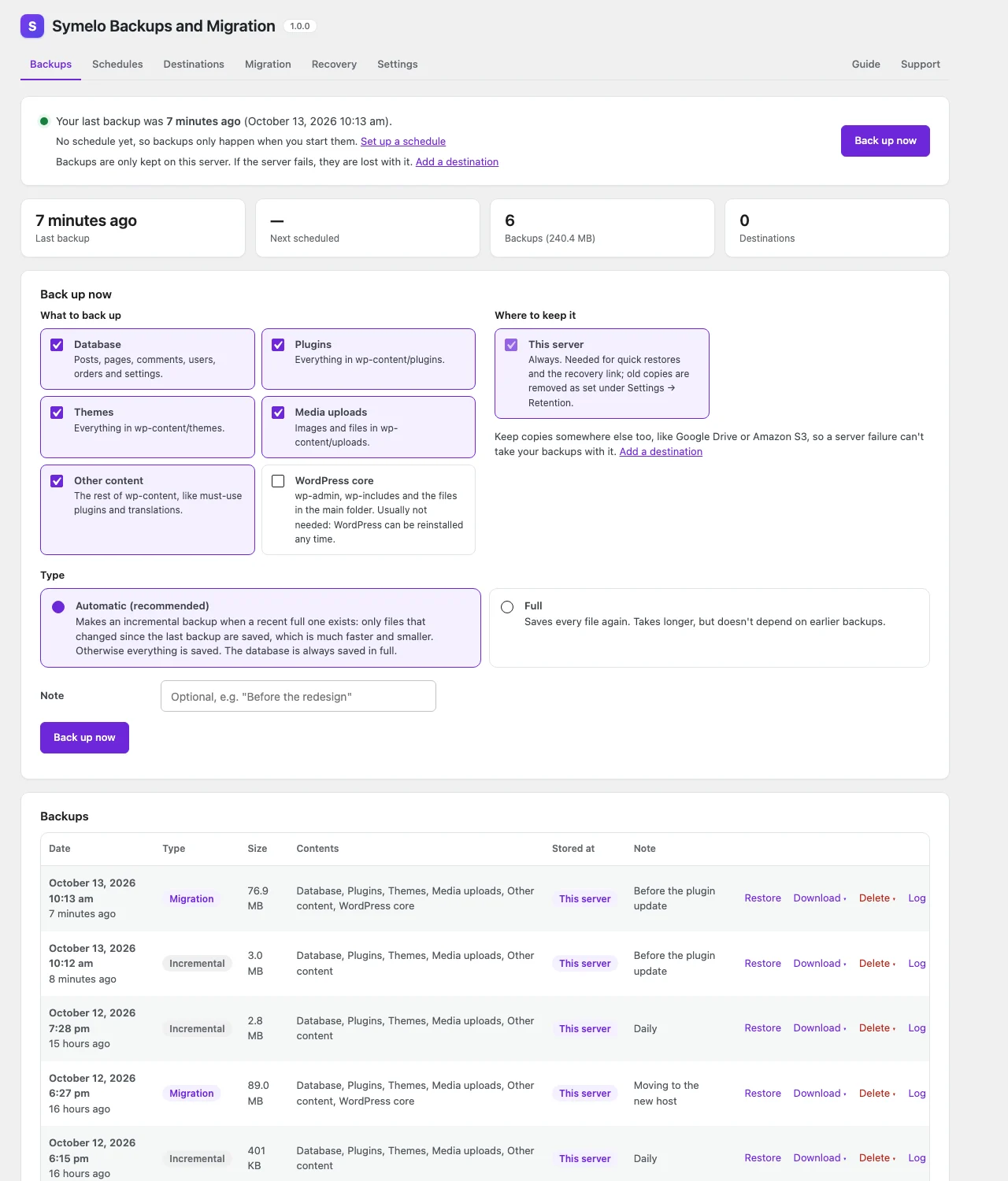
Backups: status, back up now, and every backup with restore, download and delete.
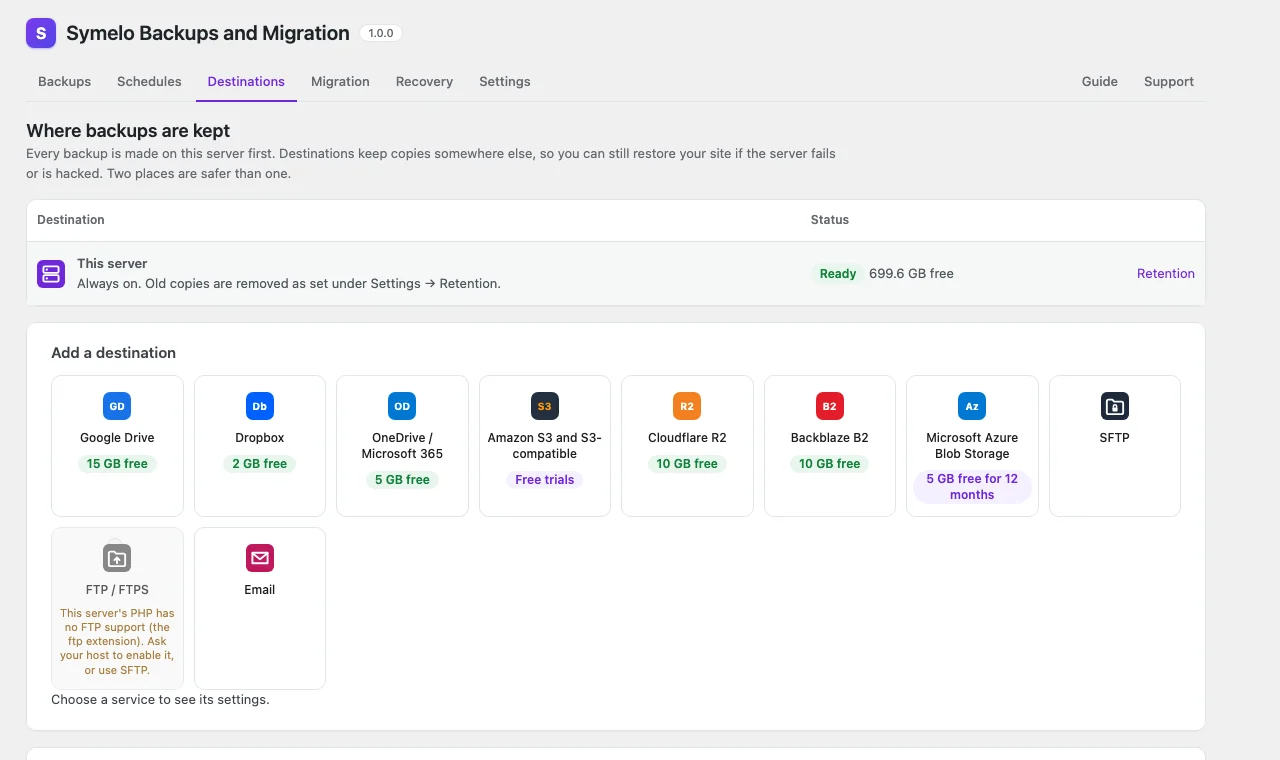
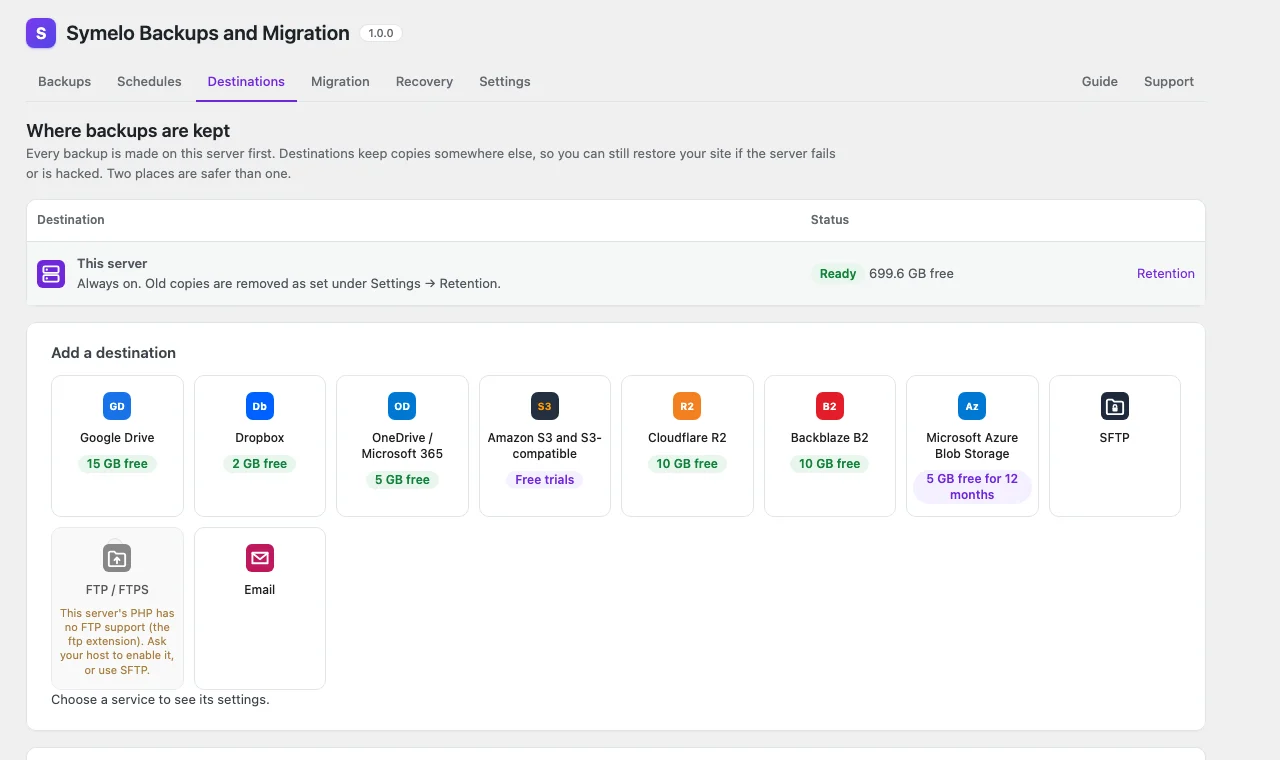
Destinations: cloud storage with the free storage each provider offers.
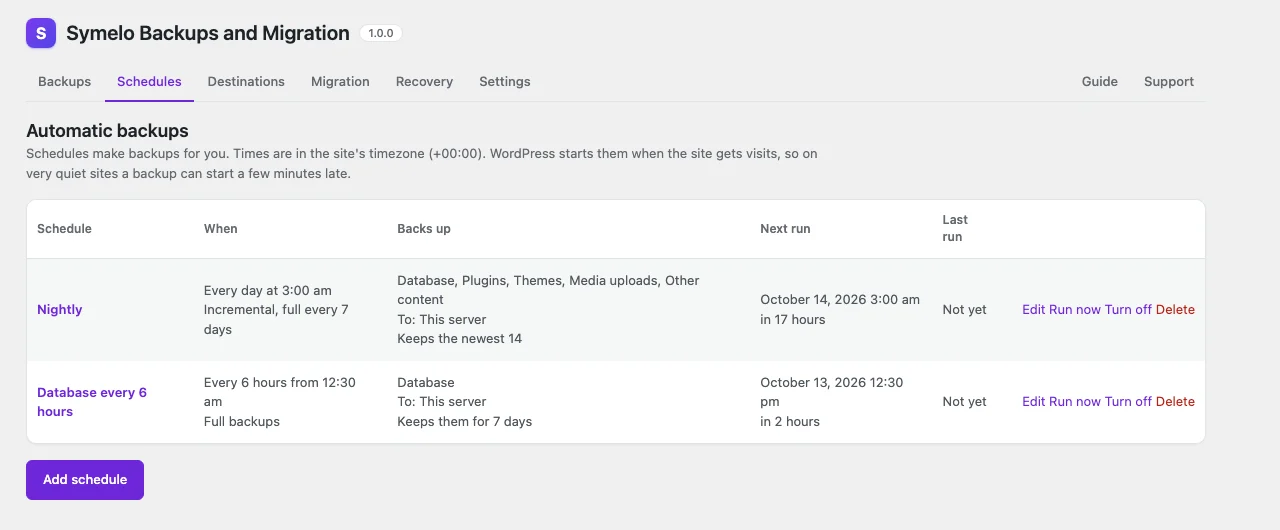
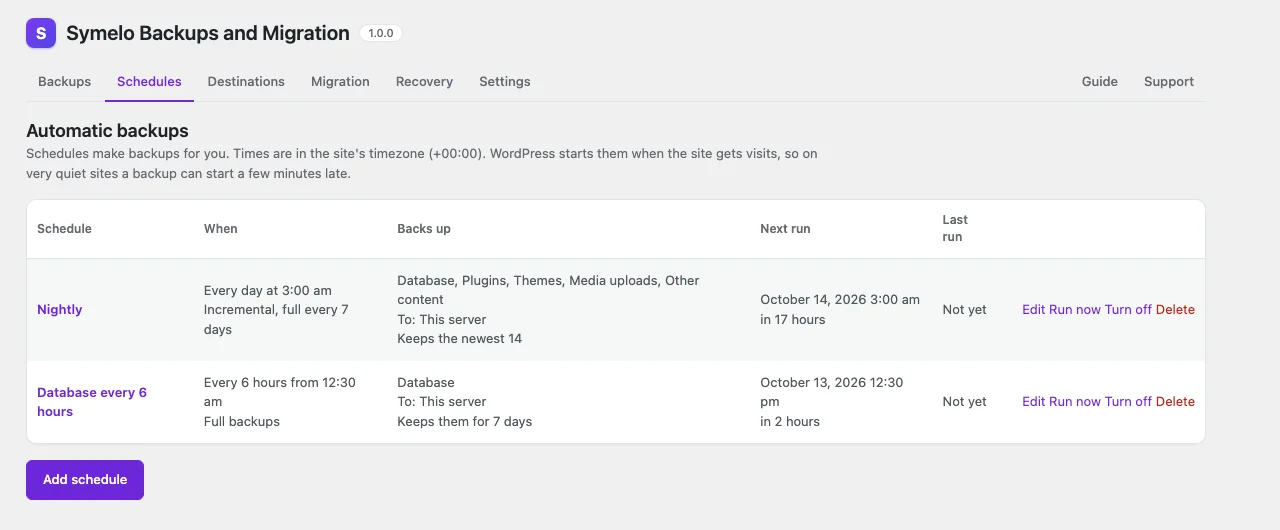
Schedules: automatic backups with their own destinations and retention.
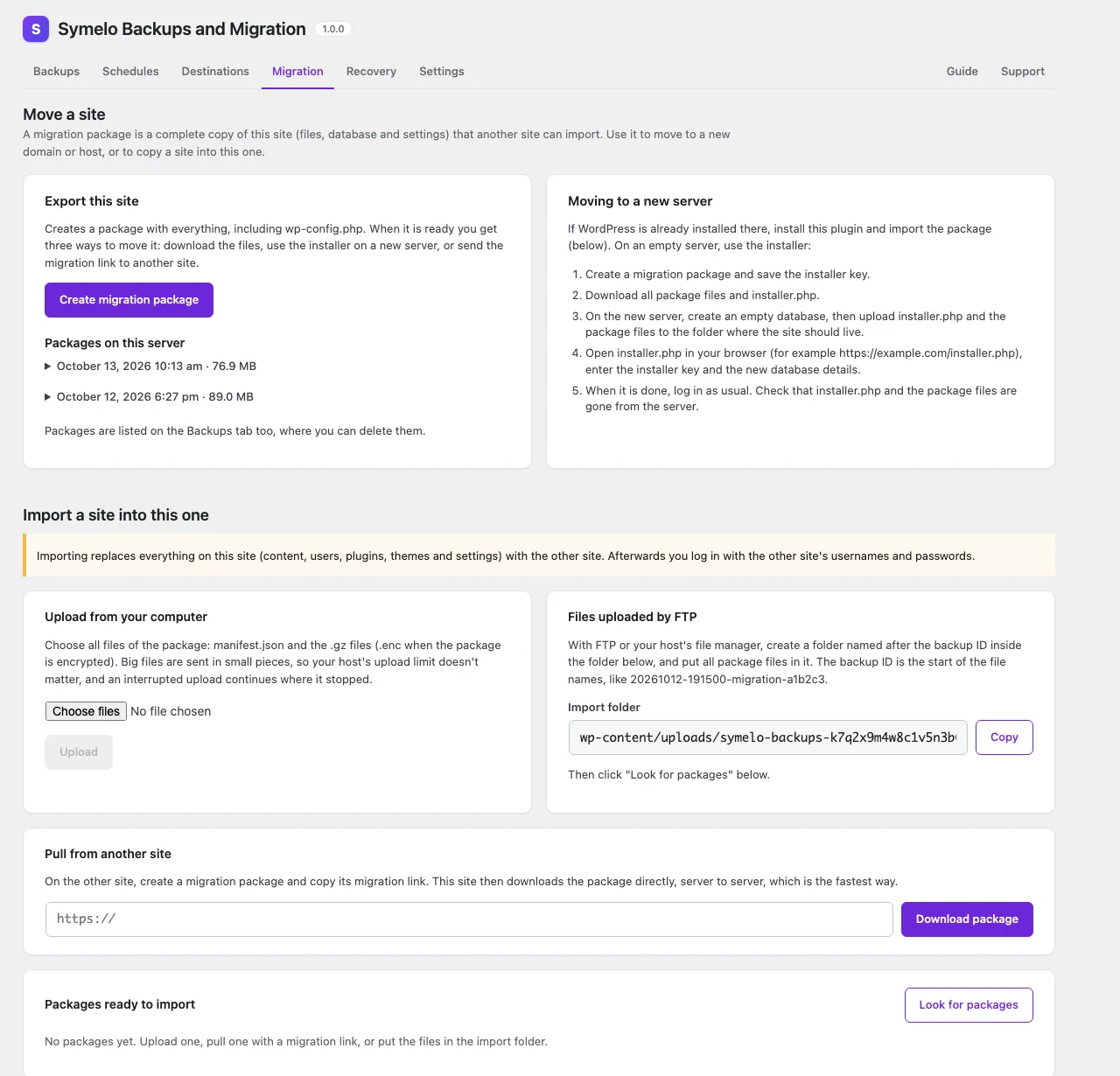
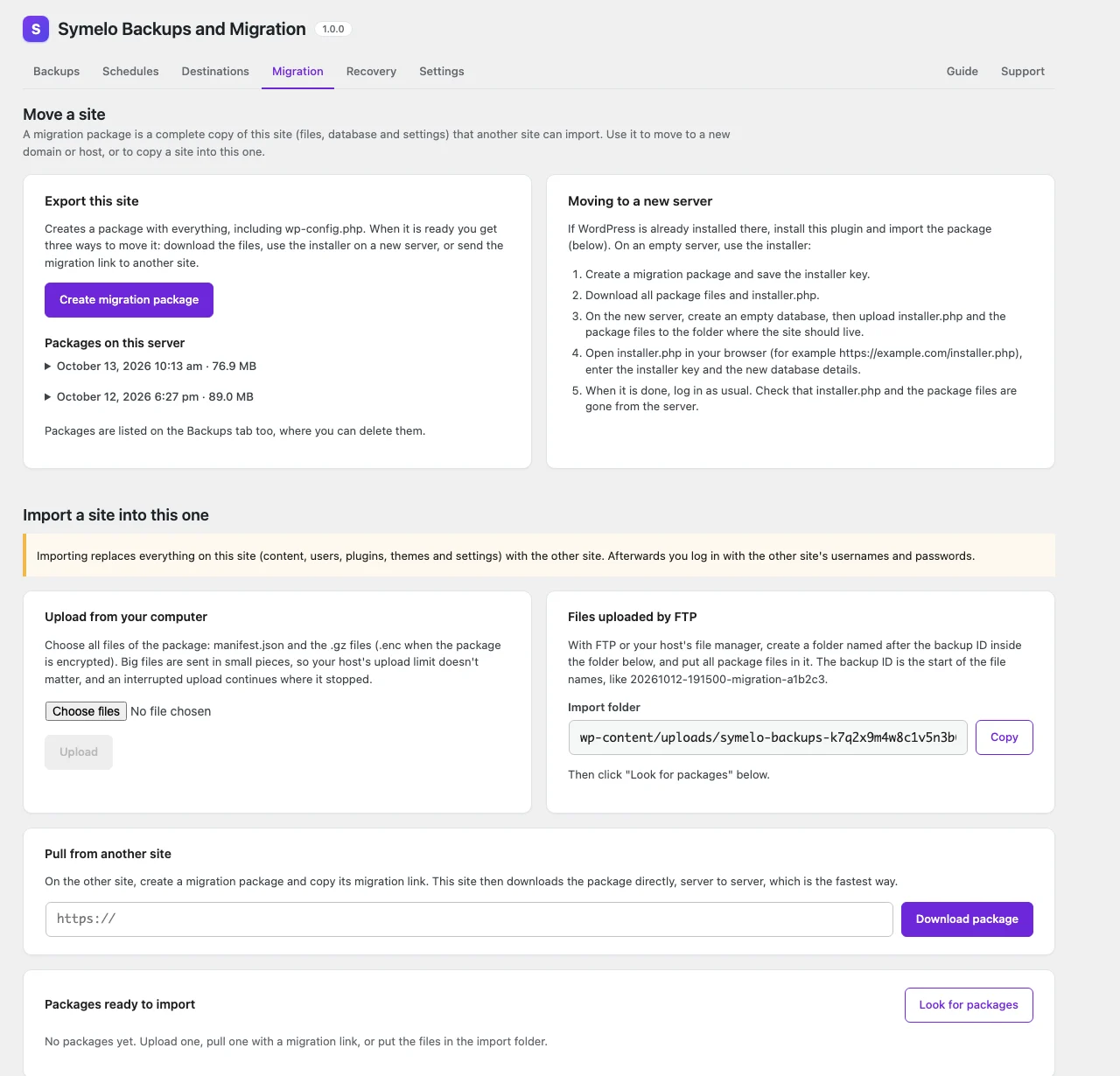
Migration: export a package, or import one by upload, FTP or migration link.
Documentation
Installation
- In wp-admin, go to Plugins → Add New Plugin and search for "Symelo Backups and Migration". Click Install Now, then Activate. (Or upload the plugin's .zip file under Plugins → Add New Plugin → Upload Plugin, or copy the
symelo-backups-and-migrationfolder towp-content/plugins/by FTP and activate it on the Plugins screen.) - Go to Backups and click Back up now for your first backup. It runs in the background, so you can close the page.
- On the Destinations tab, add a cloud storage service or another server, so a copy of every backup is kept away from this server.
- On the Schedules tab, set up automatic backups with their destinations and retention.
- On the Recovery tab, create the recovery link and keep it in your password manager. It restores a backup even when WordPress no longer loads.
Requirements: WordPress 6.4 or newer, PHP 7.4 or newer with the zlib extension, and write access to wp-content/uploads and wp-content. The sodium extension is recommended for encrypted backups; SimpleXML is needed for S3-compatible storage, Backblaze B2 and Azure, and the ftp extension for FTP. On multisite, activate the plugin network-wide or on the main site.
The full user guide is on the plugin's Guide tab.
FAQ
Do I need to keep the page open while a backup runs?
No. Backups run in the background in short steps. If your server blocks requests to itself and WP-Cron is off, run wp symelo-backups run from a system cron job.
My site is broken. How do I restore?
Open the recovery link you saved from Backups → Recovery. It works without WordPress and restores any backup stored on this server. Without a recovery link, install a fresh WordPress and this plugin, then restore a backup from your destinations, or set up a migration package with its installer.
How do I move my site to a new domain or server?
Backups → Migration → Create migration package. Then either upload installer.php and the package files to the new server and open the installer, or install WordPress and this plugin there and import the package (upload, FTP or migration link). URLs are replaced automatically.
What happens if I lose the encryption password?
Encrypted backups can't be restored without it. Nobody, including Symelo LTD, can recover it. Keep it in a password manager.
Does the plugin send any data to Symelo LTD?
No. Backups go only to the destinations you set up. See "External services" for what each destination receives.
Are backups deleted when I uninstall the plugin?
No. Backups on this server and at your destinations are never deleted automatically. Settings are only removed when "Also delete its data" is on. The recovery link and leftover restore tools are always removed, because they work without a login.
External services
The plugin works without any external service: every backup is made and kept on your own server first. It connects to an outside service only after you add that service as a destination (Backups → Destinations), and then only to store, list, download and delete your backups there, or to sign in to it. Nothing is sent before you set up a destination, and nothing is ever sent to Symelo LTD: the plugin has no tracking, statistics, license checks or remote code. Links to providers' pricing pages and to symelo.com are ordinary links that load nothing until you click them.
What every destination receives: the backup files (encrypted when you turn on encryption), their file names (the backup ID, for example 20261012-191500-full-a1b2c3.files.1.tar.gz) and a small description of each backup that is never encrypted (manifest.json: date, type, components, table names and row counts, file sizes and checksums, and your site's name, address, folder on the server, table prefix and WordPress, PHP and database versions). Backups are stored in a folder named after your site's address (for example SymeloBackups/example.com/), and requests to S3-compatible storage, Cloudflare R2, Backblaze B2 and Azure name your site's address in their user agent. A backup contains your whole site, including your database, so choose providers you trust, and turn on encryption if they shouldn't be able to read it.
Google Drive (Google)
Stores backups in your Google Drive, using a Google Cloud app that you create. Used only when you add a Google Drive destination.
- When you click Connect, your browser goes to Google's sign-in page (accounts.google.com) with your app's client ID and this site's sign-in address. The site then sends your client ID, client secret (if you entered one) and the sign-in code to oauth2.googleapis.com and receives access tokens, which it refreshes there when needed. Disconnecting revokes the token at oauth2.googleapis.com.
- Backups are uploaded, listed, downloaded and deleted through the Google Drive API (www.googleapis.com) with the access token. The plugin reads your account's name and email address to show which account is connected.
- Google Terms of Service: https://policies.google.com/terms
- Google APIs Terms of Service: https://developers.google.com/terms
- Google Privacy Policy: https://policies.google.com/privacy
Dropbox
Stores backups in your Dropbox, using a Dropbox app that you create. Used only when you add a Dropbox destination.
- When you click Connect, your browser goes to Dropbox's sign-in page (www.dropbox.com) with your app key and this site's sign-in address. The site then sends your app key, app secret (if you entered one) and the sign-in code to api.dropboxapi.com and receives access tokens, which it refreshes there when needed. Disconnecting revokes the token at api.dropboxapi.com.
- Backups are uploaded, listed, downloaded and deleted through api.dropboxapi.com and content.dropboxapi.com with the access token. The plugin reads your account's email address to show which account is connected.
- Dropbox Terms of Service: https://www.dropbox.com/terms
- Dropbox Privacy Policy: https://www.dropbox.com/privacy
OneDrive and Microsoft 365 (Microsoft)
Stores backups in your OneDrive, using a Microsoft Entra app that you create. Used only when you add a OneDrive destination.
- When you click Connect, your browser goes to the Microsoft identity platform (login.microsoftonline.com) with your app's client ID and this site's sign-in address. The site then sends your client ID, client secret (if you entered one) and the sign-in code to login.microsoftonline.com and receives access tokens, which it refreshes there when needed.
- Backups are uploaded, listed, downloaded and deleted through Microsoft Graph (graph.microsoft.com) with the access token. The plugin reads your account's name and email address to show which account is connected.
- Microsoft Services Agreement (personal accounts): https://www.microsoft.com/servicesagreement
- Microsoft Product Terms (work and school accounts): https://www.microsoft.com/licensing/terms/
- Microsoft APIs Terms of Use: https://learn.microsoft.com/en-us/legal/microsoft-apis/terms-of-use
- Microsoft Privacy Statement: https://privacy.microsoft.com/privacystatement
Amazon S3 (Amazon Web Services)
Stores backups in your Amazon S3 bucket. Used only when you add an Amazon S3 destination.
- Backups are uploaded, listed, downloaded and deleted at your bucket's endpoint (s3.{region}.amazonaws.com). Requests carry your access key ID and are signed with your secret access key; the secret key itself is never sent.
- AWS Customer Agreement: https://aws.amazon.com/agreement/
- AWS Service Terms: https://aws.amazon.com/service-terms/
- AWS Privacy Notice: https://aws.amazon.com/privacy/
Cloudflare R2 (Cloudflare)
Stores backups in your Cloudflare R2 bucket. Used only when you add a Cloudflare R2 destination.
- Backups are uploaded, listed, downloaded and deleted at your account's R2 endpoint ({account ID}.r2.cloudflarestorage.com, or {account ID}.eu.r2.cloudflarestorage.com for the EU jurisdiction). Requests carry your R2 access key ID and are signed with your secret access key; the secret key itself is never sent.
- Cloudflare Self-Serve Subscription Agreement: https://www.cloudflare.com/terms/
- Cloudflare Privacy Policy: https://www.cloudflare.com/privacypolicy/
Backblaze B2 (Backblaze)
Stores backups in your Backblaze B2 bucket. Used only when you add a Backblaze B2 destination.
- Backups are uploaded, listed, downloaded and deleted at your bucket's endpoint (s3.{region}.backblazeb2.com). Requests carry your application key ID and are signed with your application key; the key itself is never sent.
- Backblaze Terms of Service: https://www.backblaze.com/company/policy/terms-of-service
- Backblaze Privacy Policy: https://www.backblaze.com/company/policy/privacy
Azure Blob Storage (Microsoft)
Stores backups in a container of your Azure storage account. Used only when you add an Azure Blob Storage destination.
- Backups are uploaded, listed, downloaded and deleted at your storage account's endpoint ({account}.blob.core.windows.net, or the Azure China or US Government cloud endpoint you choose). Requests are signed with your account key (the key itself is never sent) or carry the SAS token you entered.
- Microsoft Azure legal information and terms: https://azure.microsoft.com/support/legal/
- Microsoft Product Terms: https://www.microsoft.com/licensing/terms/
- Microsoft Privacy Statement: https://privacy.microsoft.com/privacystatement
Wasabi, DigitalOcean Spaces and Scaleway
These are presets of the "Amazon S3 and S3-compatible" destination. Each stores backups in your bucket at that provider and is used only when you add an S3 destination with that provider. Backups are uploaded, listed, downloaded and deleted at the bucket's endpoint; requests carry your access key ID and are signed with your secret key, which is never sent.
- Wasabi (s3.{region}.wasabisys.com). Customer Agreement and terms: https://wasabi.com/legal. Privacy Policy: https://wasabi.com/legal/privacy-policy
- DigitalOcean Spaces ({region}.digitaloceanspaces.com). Terms of Service: https://www.digitalocean.com/legal/terms-of-service-agreement. Privacy Policy: https://www.digitalocean.com/legal/privacy-policy
- Scaleway Object Storage (s3.{region}.scw.cloud). General Terms of Services and contracts: https://www.scaleway.com/en/contracts/. Privacy Policy: https://www.scaleway.com/en/privacy-policy/
Your own servers: MinIO or another S3-compatible endpoint, SFTP and FTP
These destinations connect only to the address you enter, typically your own server or your hosting provider's. They receive the backup files and their names, and the login details you entered: for S3-compatible endpoints the access key ID and signed requests, for SFTP the user name and the password or a signature made with your SSH key (the key itself is never sent), for FTP the user name and password (sent in plain text unless you choose FTPS). The terms and privacy policy of whoever runs that server apply.
The Email destination sends each backup file as an attachment, and notifications report failed (or, if you choose, successful) backups. Both go to the addresses you enter, with your site's name in the subject and a link to the plugin's screen in the text. They are sent with WordPress's wp_mail(), so whatever sends your site's email delivers them: your host's mail server, or an SMTP or email service you set up with another plugin. Its terms and privacy policy apply.
Migration links (your other site)
When you import a package with a migration link (Backups → Migration), this site downloads the package files directly from the old site whose address is in the link, with signed requests that expire with the link. The request names this site's address in WordPress's standard user agent. Only your two sites are involved; the package contains the old site's database, files and wp-config.php.
Requests to your own site
To work in the background, the site sends short requests to itself (wp-admin/admin-ajax.php, authenticated with a random per-site token) and uses WP-Cron. Site Health requests a test file from the backup folder, and the plugin opens the restore tool once to check that your server can run it. These requests never leave your server.
All versions
- Initial release.
SHA-256
b5e93ab880a5e75516459edef2a7b39f06706295456b38eb78d0f8b9e17b396a