

Overview
WordPress sends email with PHP's mail() function by default. Many hosts block it and spam filters distrust it, so password resets, order confirmations and contact form messages go missing. Symelo SMTP sends every WordPress email through a proper email service instead, and shows you exactly what happened to each one.
Mailers
- Other SMTP, with presets for common providers
- Gmail / Google Workspace (OAuth, no password stored)
- Microsoft 365 / Outlook (OAuth through Microsoft Graph)
- Amazon SES
- Brevo
- Mailgun (US and EU)
- SendGrid
- Postmark
- SendLayer
- Resend
- SMTP2GO
- SparkPost (US and EU)
- Mailjet
Features
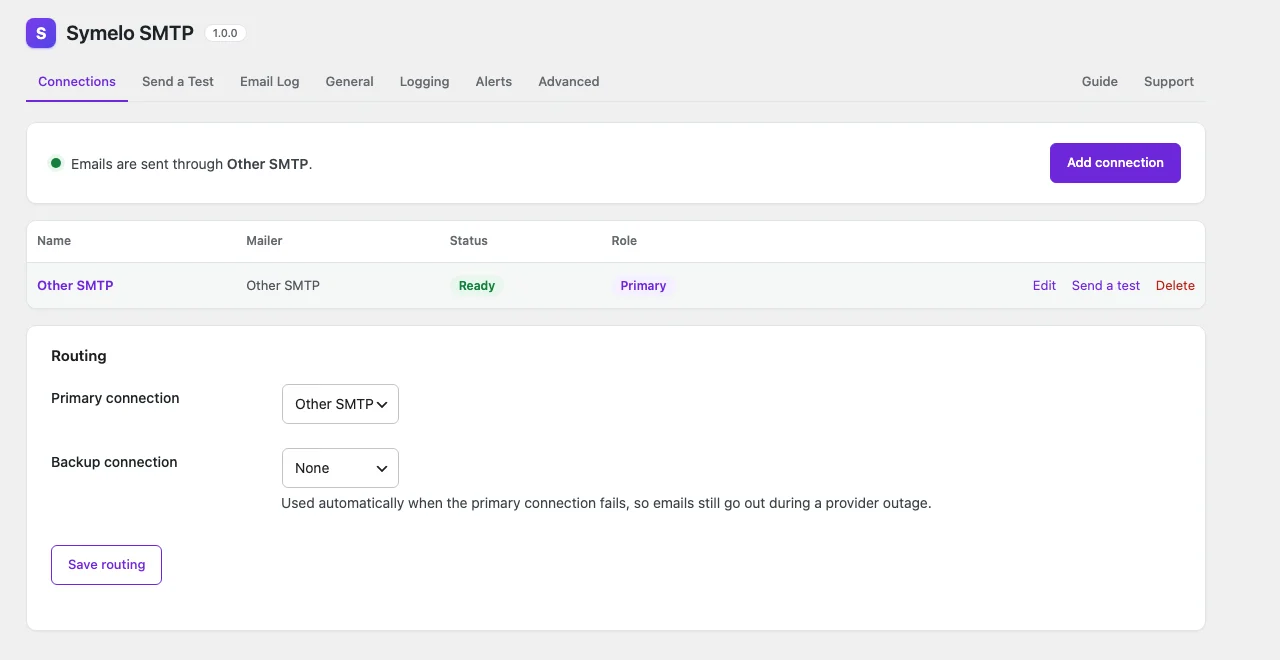
- Backup connection: if the primary connection fails, the email is sent through a second one.
- Email log with search, filters, a safe preview, resend and CSV export.
- Failure alerts to Slack, Discord, Microsoft Teams or any webhook.
- Test email tool with plain-language troubleshooting hints.
- "Log only" mode for staging sites: record emails without sending them.
- A From address and name per connection. The address is used for every email by default, so providers don't reject other plugins' addresses; the name can be forced too.
- Credentials are encrypted in the database and never sent back to the browser.
- Configure everything with constants in wp-config.php.
- Site Health checks, a dashboard widget and WP-CLI commands.
- Privacy tools: log entries are included in WordPress's personal data export and erasure.
- Multisite compatible.
External services
Symelo SMTP sends nothing anywhere until you add a connection or an alert channel. After that it only contacts the services you chose, as described below. It never sends anything to Symelo LTD: no tracking and no usage statistics.
Email services. An email goes only to the service of the connection that sends it: the primary connection, and the backup connection only when the primary one fails. Test emails and emails you resend from the email log follow the same routing, unless you pick a single connection for a test email. The service receives the whole email (From, To, Cc, Bcc and Reply-To addresses, subject, message, headers and attachments) together with the connection's credentials (API key, SMTP username and password, or OAuth access token). API requests identify themselves with a SymeloSMTP/<version> user agent that includes your site's address.
- Amazon SES (Amazon Web Services), used by an Amazon SES connection. Emails go to
email.{region}.amazonaws.comin the region you choose. Requests are signed with your access key; the secret access key itself is never sent. AWS Customer Agreement, AWS Service Terms, AWS Privacy Notice. - Brevo, used by a Brevo connection. Emails and your API key go to
api.brevo.com. Terms of Use, Privacy Policy. - Mailgun (Sinch), used by a Mailgun connection. Emails and your API key go to
api.mailgun.netor, for the EU region,api.eu.mailgun.net. Terms of Service, Privacy Policy. - SendGrid (Twilio), used by a SendGrid connection. Emails and your API key go to
api.sendgrid.comor, for the EU region,api.eu.sendgrid.com. Twilio Terms of Service, Twilio Privacy Notice. - Postmark (ActiveCampaign), used by a Postmark connection. Emails and your server API token go to
api.postmarkapp.com. Terms of Service, Privacy Policy. - SendLayer, used by a SendLayer connection. Emails and your API key go to
console.sendlayer.com. Terms of Service, Privacy Policy. - Resend, used by a Resend connection. Emails and your API key go to
api.resend.com. Terms of Service, Privacy Policy. - SMTP2GO, used by an SMTP2GO connection. Emails and your API key go to
api.smtp2go.com, or to its US, EU or Australian endpoint if you choose one. Terms of Service, Privacy Policy. - SparkPost (now part of Bird), used by a SparkPost connection. Emails and your API key go to
api.sparkpost.comor, for the EU region,api.eu.sparkpost.com. Terms of Service, Privacy Policy. - Mailjet (Sinch), used by a Mailjet connection. Emails, your API key and your secret key go to
api.mailjet.com. Terms of Service, Privacy Policy. - Gmail / Google Workspace (Google), used by a Gmail connection. When you click "Sign in with Google", your browser goes to Google's sign-in page (
accounts.google.com). Your site then sends the authorization code with your client ID and client secret tooauth2.googleapis.comto get tokens, and later sends the refresh token there to renew them: when they expire, and once a week through the daily maintenance task if the connection wasn't used. Emails go to the Gmail API (gmail.googleapis.com) with the access token. Disconnecting or deleting the connection sends the refresh token to Google's revocation endpoint (oauth2.googleapis.com/revoke). Google Terms of Service, Google APIs Terms of Service, Google Privacy Policy. - Microsoft 365 / Outlook (Microsoft identity platform and Microsoft Graph), used by a Microsoft 365 / Outlook connection. When you click "Sign in with Microsoft", your browser goes to Microsoft's sign-in page (
login.microsoftonline.com). Your site then sends the authorization code with your client ID and client secret tologin.microsoftonline.comto get tokens, and renews them there the same way as for Gmail. Right after sign-in it reads the mailbox address from Microsoft Graph (graph.microsoft.com/v1.0/me), and emails go to Microsoft Graph (graph.microsoft.com/v1.0/me/sendMail) with the access token. Microsoft Services Agreement, Microsoft APIs Terms of Use, Microsoft Privacy Statement. - Other SMTP, used by an SMTP connection. Emails and your SMTP username and password go to the SMTP server you enter, under that provider's terms and privacy policy. The presets only fill in the host and port of well-known servers: Gmail, Microsoft 365, Brevo, Mailgun, SendGrid, Postmark, SendLayer, Resend, SMTP2GO, SparkPost, Mailjet and Amazon SES (their terms and privacy policies are linked above) and Zoho Mail (Terms of Service, Privacy Policy).
- PHP mail() contacts no external service: it hands emails to your server's own mail setup.
Failure alerts. Only if you add an alert channel under Settings → Alerts. When an email fails (at most once per throttle period), or when you click "Send test alert", the plugin posts a short message to the webhook URL you entered: your site's name and address, the failed email's subject and recipients, the connection name, the error and a link to the log entry. The email's content and your credentials are never included.
- Slack: an incoming webhook (
hooks.slack.com). Terms of Service, Privacy Policy. - Discord: a channel webhook (
discord.com). Terms of Service, Privacy Policy. - Microsoft Teams: a Teams Workflows webhook (Microsoft Power Automate). Microsoft Services Agreement, Microsoft Privacy Statement.
- Webhook (JSON): any URL you enter, such as your own server or an automation service, under that service's terms and privacy policy. With a signing secret, requests carry an HMAC signature of the body; the secret itself is never sent.
In your browser. The email log preview blocks remote images in logged emails. Only if you click "Load them" does your browser load those images from the servers named in that email. The links to symelo.com on the Support tab and in the admin footer are ordinary links: nothing is loaded from symelo.com.
For developers
Filters and actions:
symelo_smtp_register_mailers(action): add a custom mailer with$registry->add( new My_Mailer() ).symelo_smtp_mail_sent/symelo_smtp_mail_failed(actions): react to delivery results.symelo_smtp_log_row(filter): change or skip a log row before it's stored.symelo_smtp_capability(filter): capability needed to manage the plugin (defaultmanage_options).symelo_smtp_smtp_presets(filter): add SMTP presets.symelo_smtp_more_from_symelo(filter): products listed under "More from Symelo LTD" on the Support tab.symelo_smtp_http_timeout,symelo_smtp_smtp_timeout(filters): timeouts in seconds.
WP-CLI: wp symelo-smtp status, wp symelo-smtp connections, wp symelo-smtp test <email>, wp symelo-smtp log list, wp symelo-smtp log purge.
Credits
Gmail, Brevo, Mailgun, Resend, SparkPost and PHP logos come from Simple Icons (CC0). All product names and logos are trademarks of their respective owners and are used only to identify the services.
Screenshots
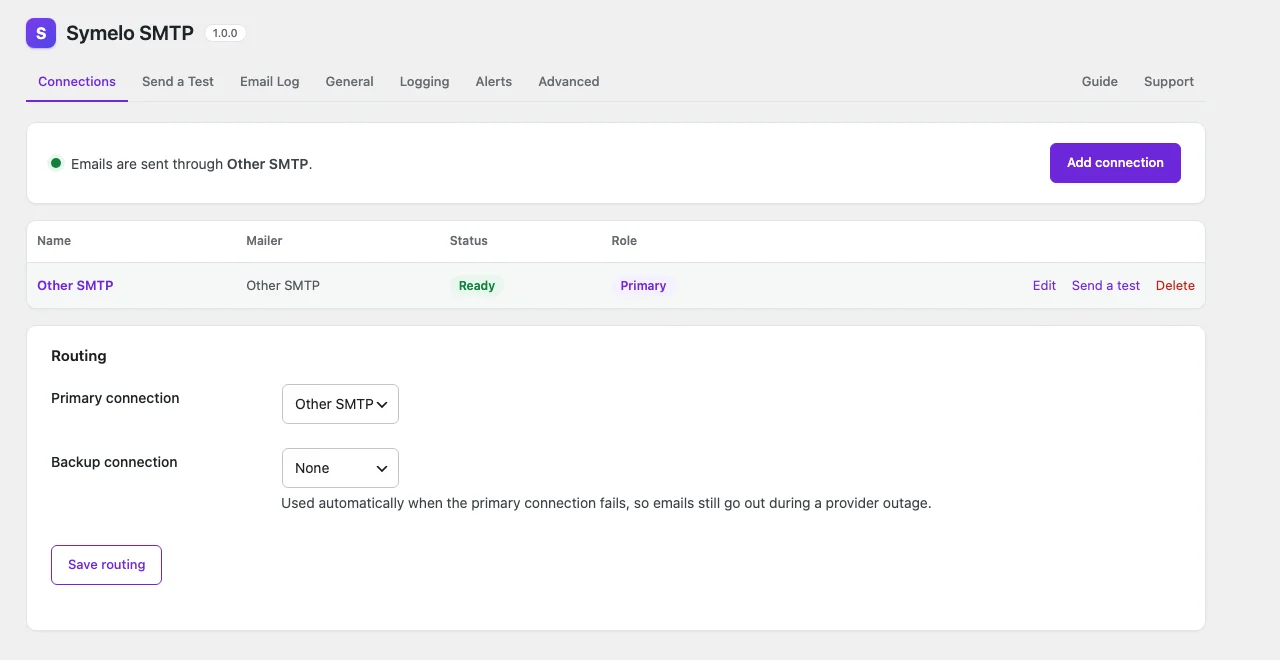
Connections: the primary and backup connection and their status.
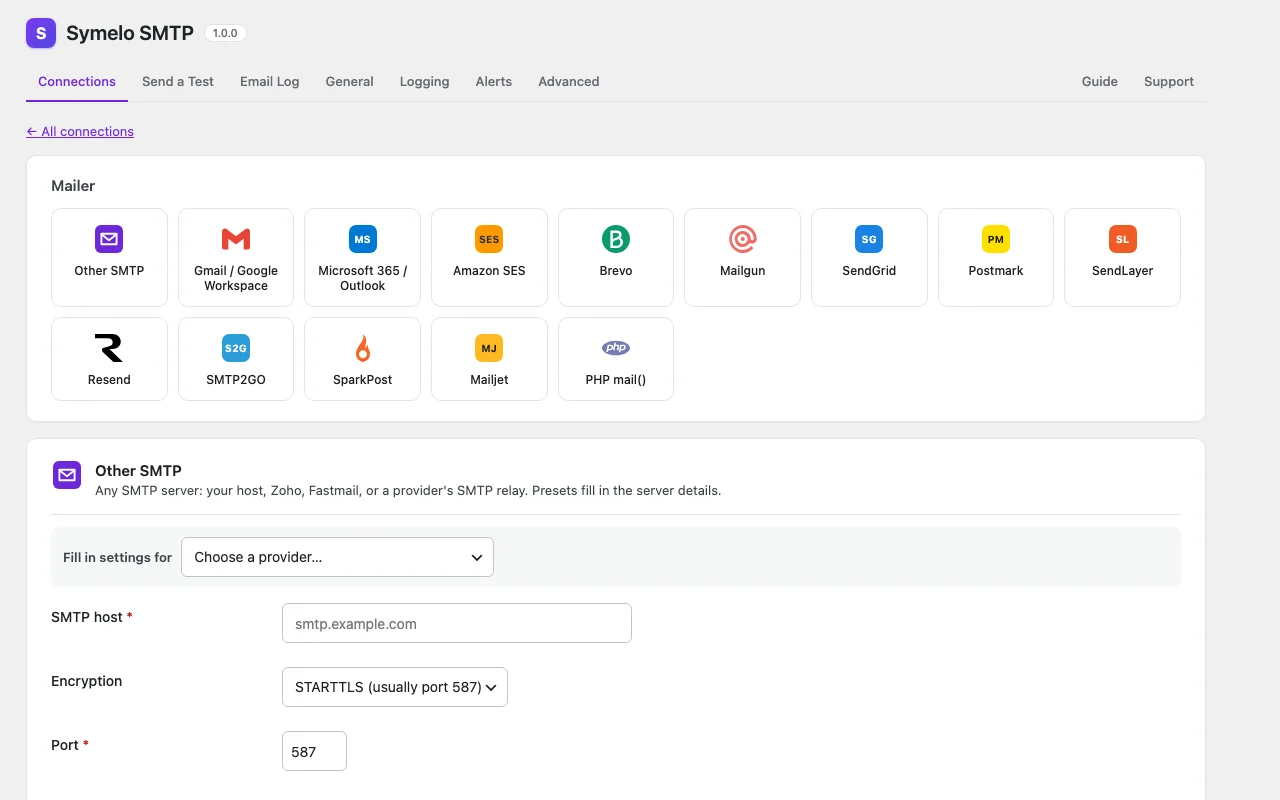
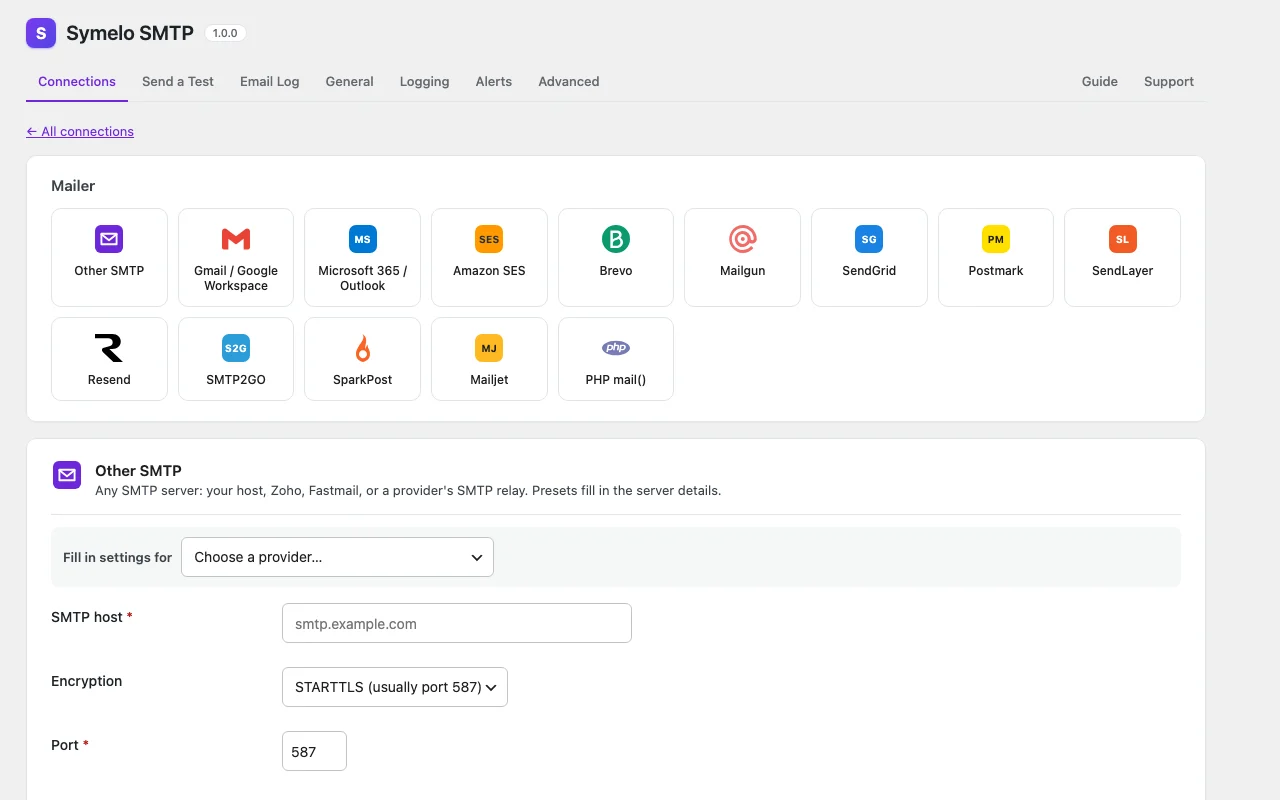
Add a connection: pick one of the supported email services.
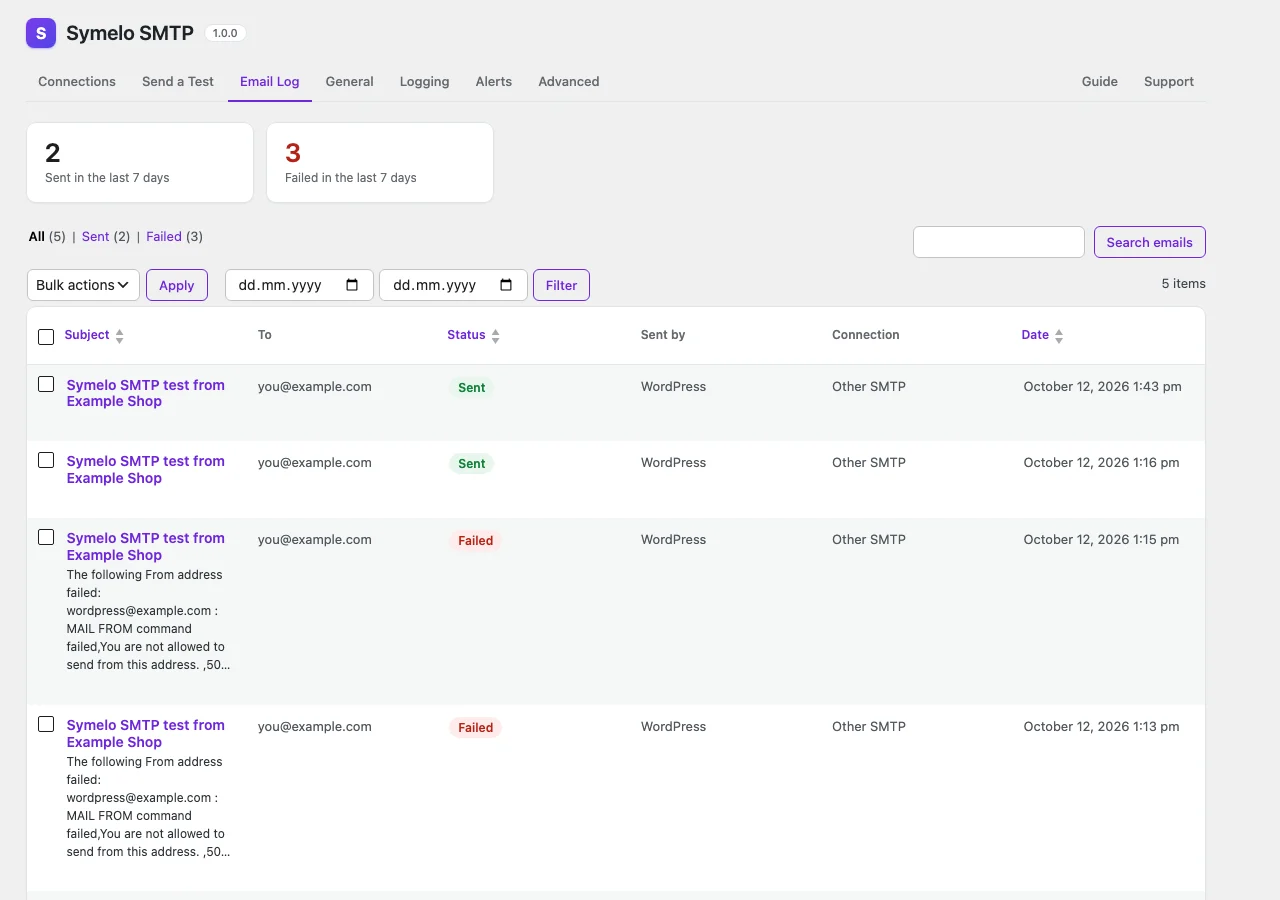
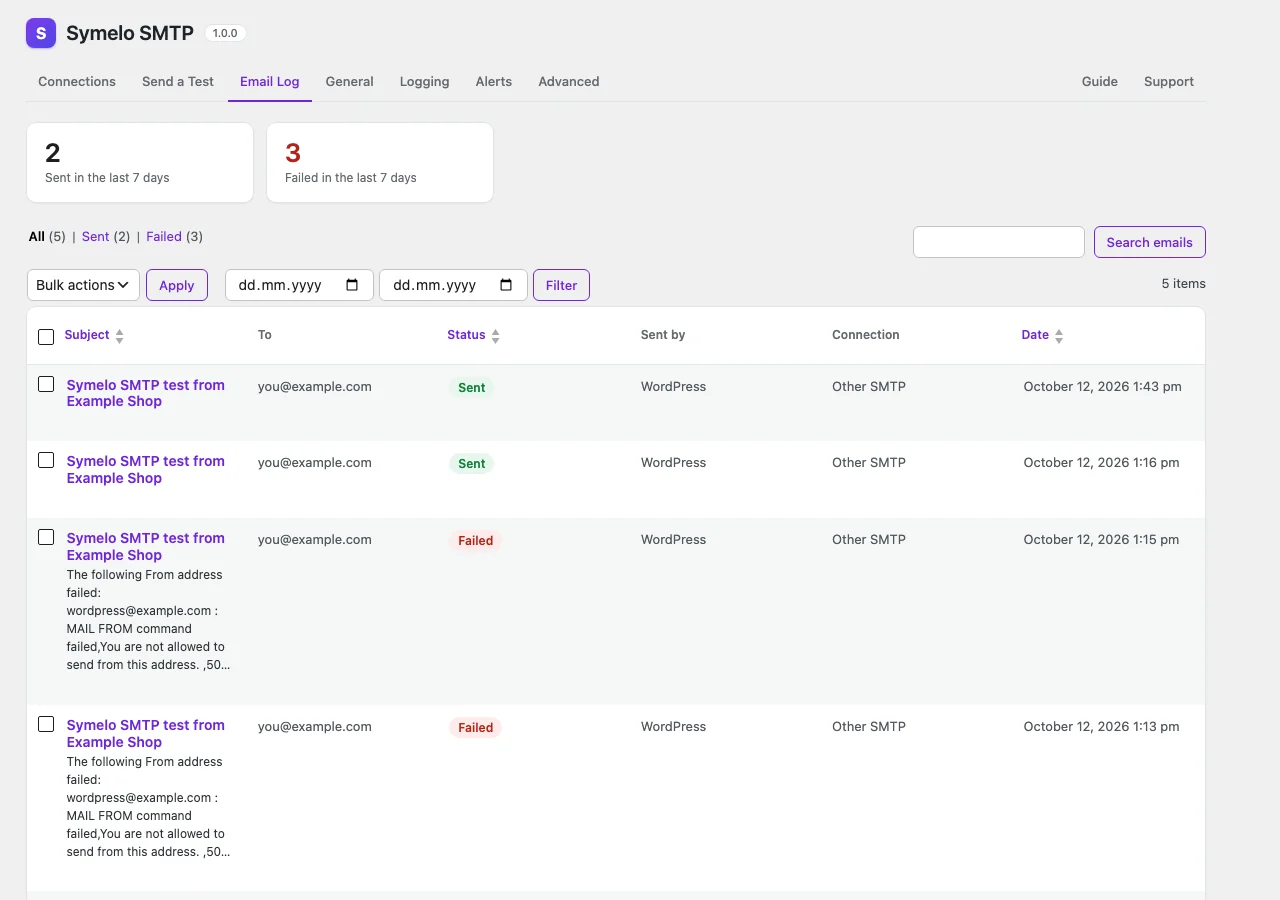
Email log: every email with its delivery status.
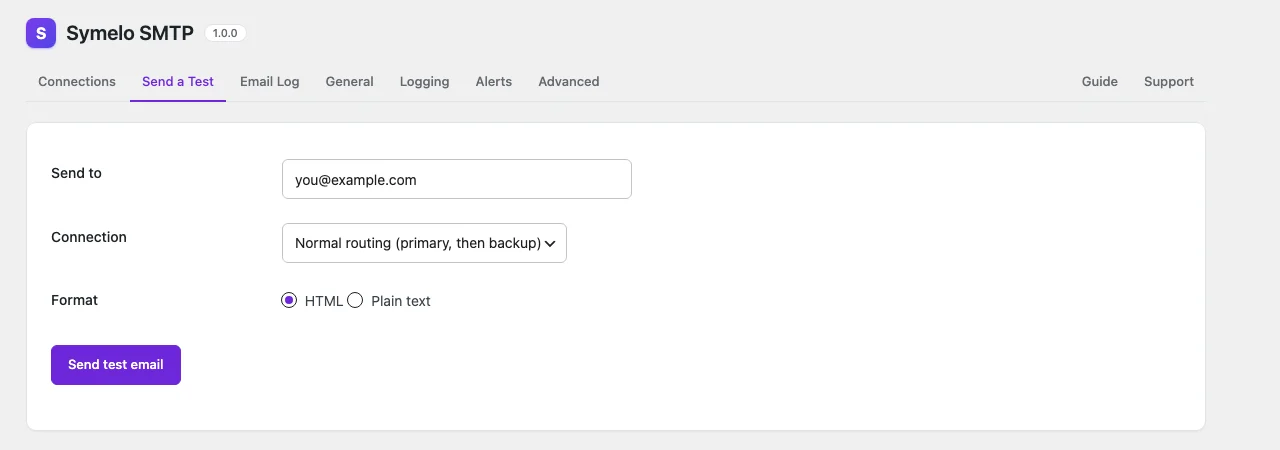
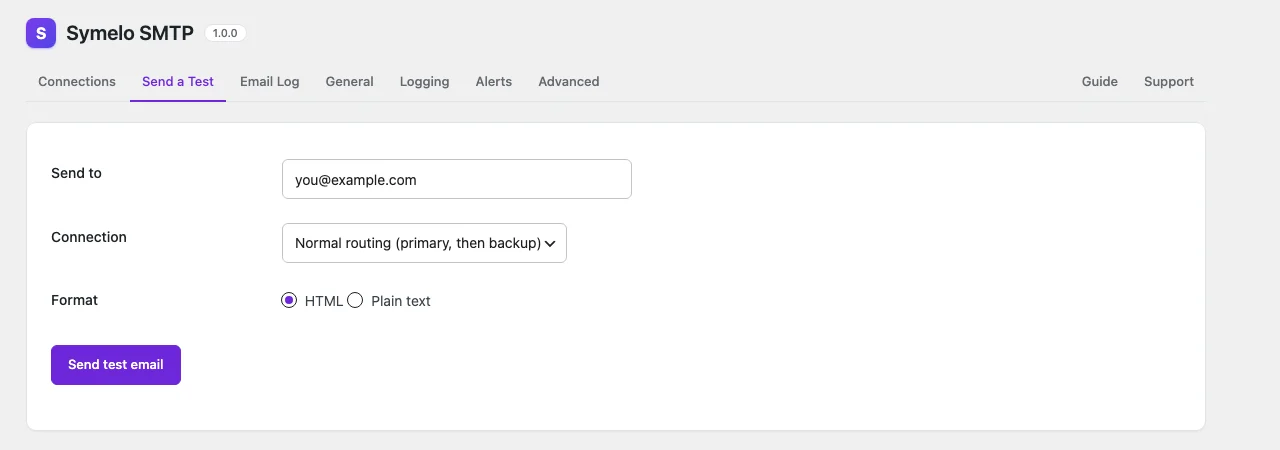
Send a test email through the normal routing or one connection.
Documentation
Installation
- Upload the plugin and activate it.
- Go to Symelo SMTP → Settings → Add connection and pick your email provider.
- Send yourself a test: Symelo SMTP → Settings, then the Send a Test tab.
FAQ
Where are my API keys stored?
In the WordPress database, encrypted with libsodium. For extra protection define a dedicated key of at least 32 random characters in wp-config.php. Settings → Advanced shows a ready-made line with a random 64-character key:
define( 'SYMELO_SMTP_KEY', '…64 random characters…' );
Shorter keys are ignored, and the Advanced tab and Site Health warn about them.
Can I configure it in wp-config.php?
Yes. For example:
define( 'SYMELO_SMTP_MAILER', 'mailgun' );
define( 'SYMELO_SMTP_API_KEY', '…' );
define( 'SYMELO_SMTP_DOMAIN', 'mg.example.com' );
define( 'SYMELO_SMTP_REGION', 'eu' );
Settings → Advanced lists every supported constant.
Gmail stops working after 7 days
Your Google Cloud app is in "Testing" mode. Publish it ("In production"), or set its audience to "Internal" if you use Google Workspace, then sign in again.
Can I use it on a staging site?
Yes. Turn on "Log only" under Settings → General, or define SYMELO_SMTP_DELIVERY as log_only. Emails are logged but never sent.
Does the plugin send data to Symelo LTD?
No. It only contacts the email services and alert channels you set up. See "External services" in the description for what is sent where.
All versions
- Initial release.
SHA-256
c3942a5271fa788e6c49fd2d766d9810156307112ba348ba1b281f5cbfbdd718